If you’re looking to make Minecraft feel smoother, more alive, and better to look at, visuals and animations are where it starts.
In this article, we’re covering 10 amazing Minecraft mods that improve animations, character visuals, UI clarity, and overall game feel.
These mods don’t change core gameplay — they enhance how the game looks and feels while you play. Now let’s jump into the list.
Better Animations Collection (Forge / Fabric / NeoForge)
This mod is all about making Minecraft’s world feel alive.
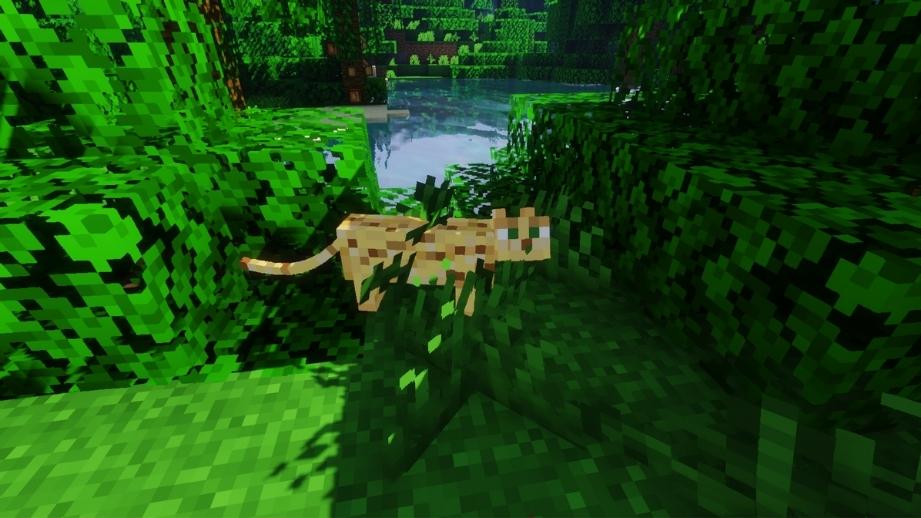
Better Animations Collection replaces stiff, robotic mob movement with smoother, more natural animations. Mobs no longer just snap between poses — they idle, turn, and move in ways that feel closer to modern animation standards.
You’ll notice changes on:
- Villagers and humanoid mobs
- Zombies and hostile mobs
- Animals like pigs, horses, squids
- Endermen and other tall entities
What makes this mod special is that it doesn’t add flashy effects — it improves core movement. Everything still feels like Minecraft, just more polished. It works great in survival and stacks nicely with shader packs and resource packs.
More Player Models (Forge)
One of the most powerful player customization mods ever made.
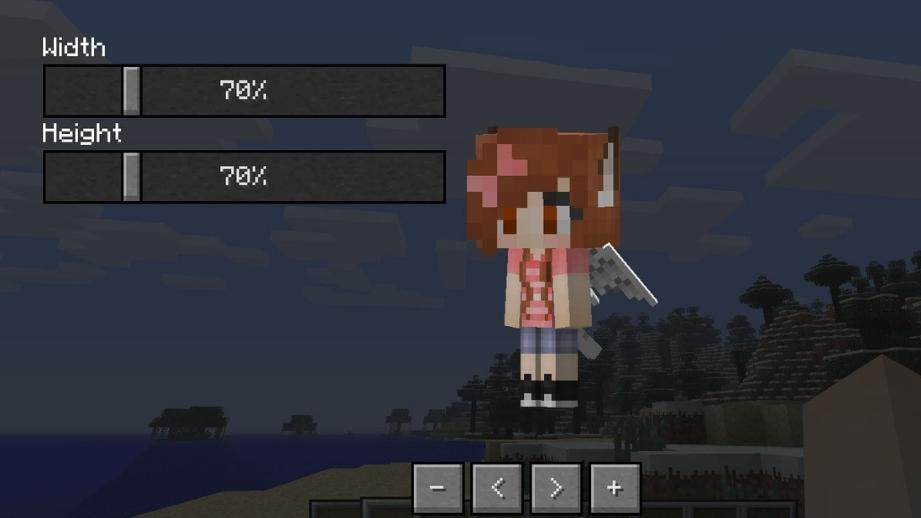
More Player Models lets you fully reshape how your character looks and behaves. You can:
- Transform into mob-like models
- Resize body parts (arms, legs, torso, head)
- Add tails, ears, hats, and extra features
- Use built-in emotes like sitting, waving, crying, sleeping
- Show your first hotbar item on your back
All of this works in multiplayer when installed server-side, which makes it perfect for roleplay servers, SMPs, and creative worlds. This mod turns your player into an actual character instead of just a skin.
Combat Roll (Forge & Fabric)
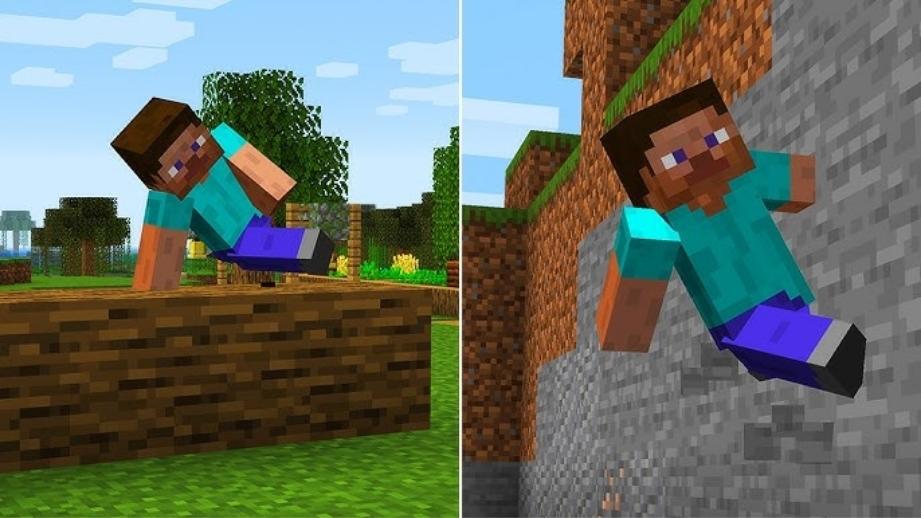
Combat Roll adds real movement mechanics to Minecraft combat.
By pressing R, you can roll in the direction you’re moving — forward, backward, or sideways. This makes dodging arrows, escaping mobs, or repositioning during fights feel way more dynamic.
The mod also includes:
- Stamina/exhaustion balancing
- Configurable cooldowns
- Enchantments and attributes that improve roll distance and recharge
It’s not just animation — it actually changes how combat feels. Great for survival, adventure maps, and modpacks that want more fluid movement.
Horse Expert (Forge / Fabric / NeoForge)
If you’ve ever tamed multiple horses and thought
“which one is actually better?” — this mod fixes that.
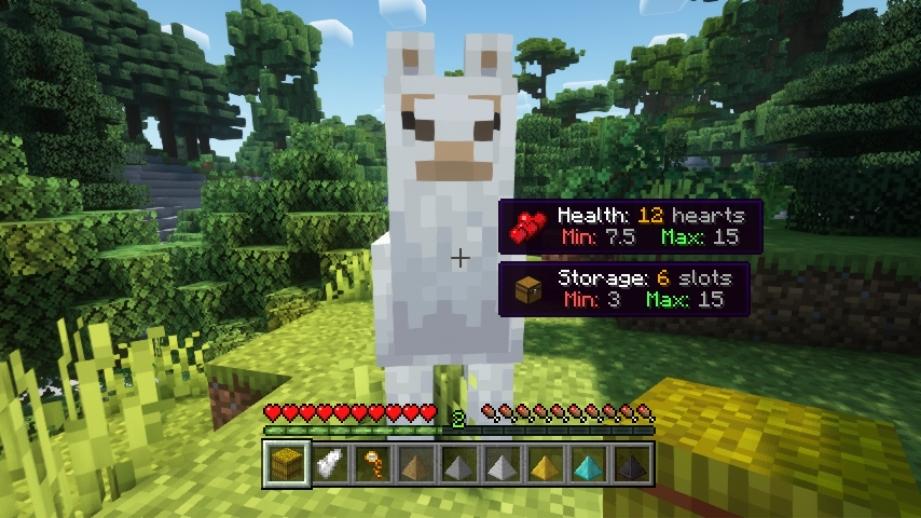
Horse Expert lets you see exact stats for horses and llamas:
- Movement speed
- Jump height
- Maximum health
The stats are viewed using a craftable monocle, which keeps everything immersive and vanilla-friendly. Instead of testing horses manually, you instantly know which mount is worth keeping.
Small mod, massive quality-of-life improvement.
Hats & Cosmetics (Forge)
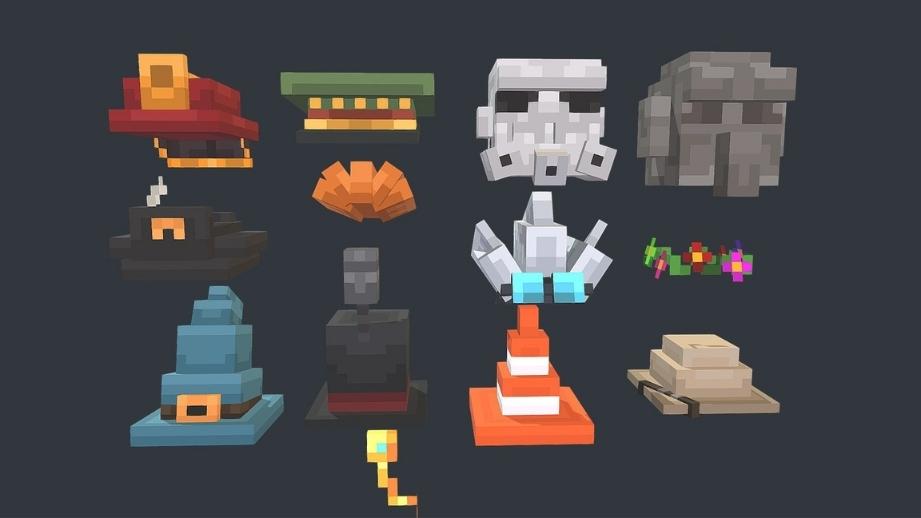
This mod focuses purely on visual variety.
It adds extra cosmetic slots to your inventory, letting you equip:
- Hats
- Heads
- Decorative clothing items
These don’t replace armor and don’t affect gameplay — they’re just for looks. Perfect for players who want more identity and style without touching balance or mechanics.
Stylish Effects (Forge / Fabric / NeoForge)
Potion effects and status icons can get messy fast — especially in modded play.
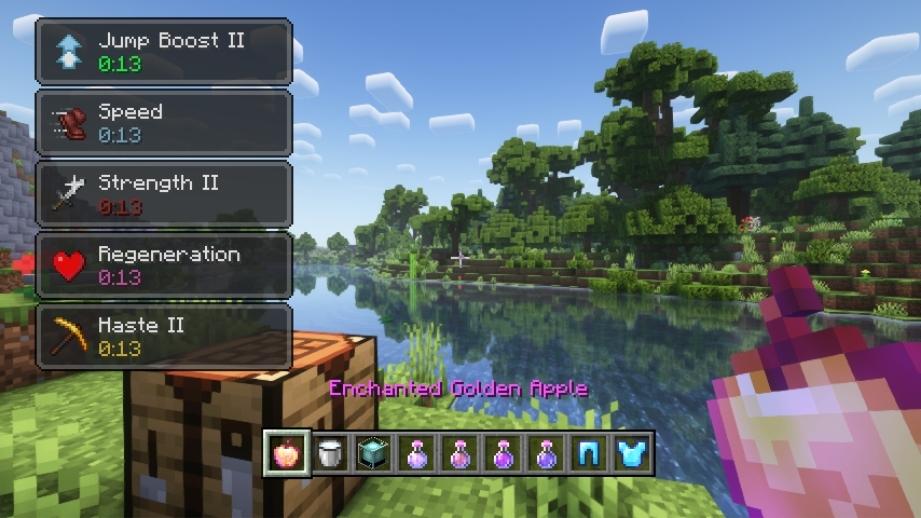
Stylish Effects completely redesigns how effects are displayed:
- Clean, compact icons
- Clear timers and amplifier levels
- Effects visible in inventories and GUIs
- Tooltips that explain what each effect does
You can move, resize, and configure everything to your liking. If you hate cluttered HUDs or overlapping effects, this mod makes things way easier to read.
Customizable Player Models (Forge / NeoForge)
This mod takes customization even further.
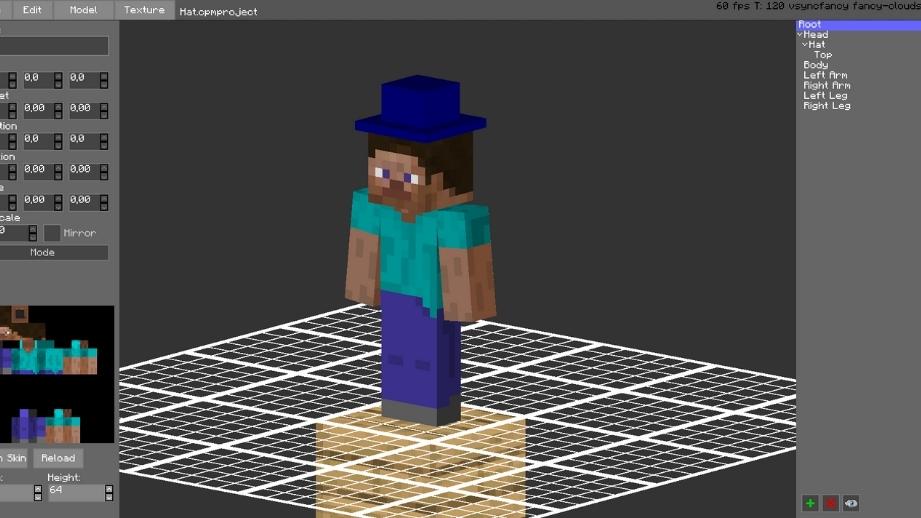
Customizable Player Models includes an in-game editor that lets you build your own player model from scratch. You can:
- Adjust and animate body parts
- Add glowing skin sections
- Hide or replace default model parts
- Create monsters, robots, or fantasy characters
It’s especially popular on roleplay servers and among creators who want completely unique avatars. Models can also be shared, making it great for communities.
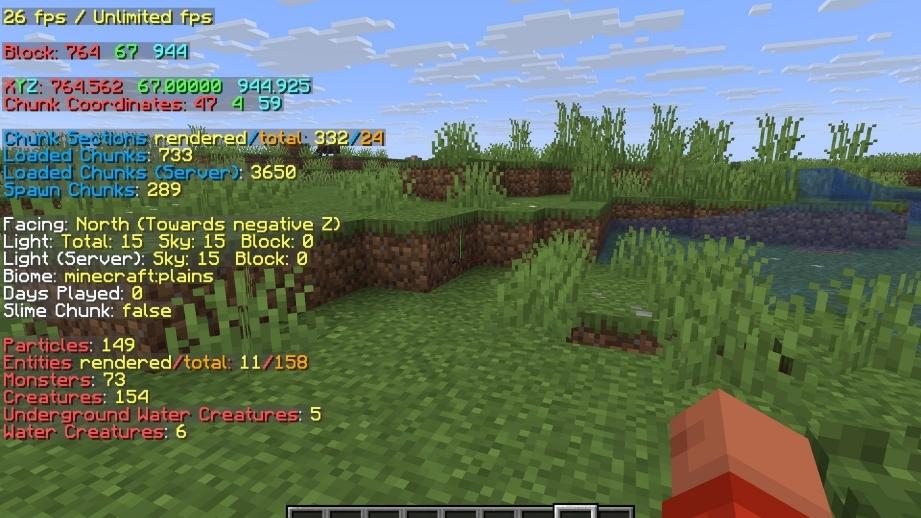
8. Better F3 (Forge & Fabric)
The default F3 screen shows way too much information.
Better F3 lets you fully customize the debug overlay so only the data you actually need is visible — like coordinates, biome, direction, or FPS.
You can:
- Remove unnecessary lines
- Reorganize layout
- Make the screen easier to read
Perfect for builders, redstone players, speedrunners, or anyone who uses F3 regularly.
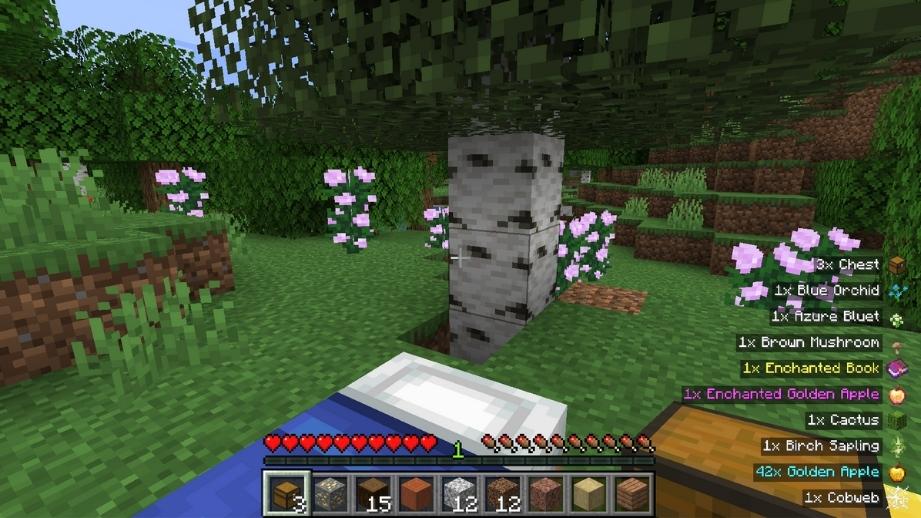
Pick Up Notifier (Forge / Fabric / NeoForge)
Pick Up Notifier adds a small but incredibly useful HUD element.
Whenever you pick up items or XP, a list appears showing:
- What items you collected
- How many
- XP gained
The list fades away automatically and can be repositioned anywhere on the screen. It’s extremely helpful during mining, mob farms, or large loot runs where items usually fly everywhere.
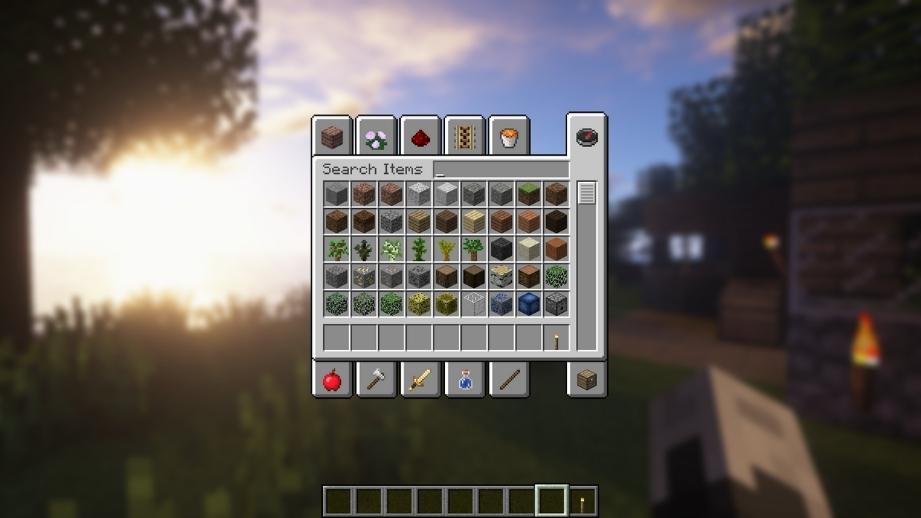
ReBlurred (Forge / NeoForge)
ReBlurred adds a soft background blur whenever you open:
- Inventories
- Chests
- Crafting tables
- Furnaces
- Settings
It’s subtle, but it makes the UI feel more modern and helps you focus on menus instead of what’s happening behind them. A small visual tweak that adds a lot of polish.
Final Thoughts
These mods don’t change Minecraft’s identity — they refine it.
Better animations, cleaner UI, smoother movement, and deeper customization all come together to make the game feel more modern while staying true to vanilla gameplay.
If visuals, polish, and quality-of-life matter to you, this setup is a solid upgrade. Also, feel free to check OPmods.com homepage for more Mods & packs listing.